A LITTLE HELP, EVERY STEP
Your records, access, and leaving Lahara
Understand staff permissions, exports, and shop deletion.
Maintained by Lahara Tech · Last reviewed
Give staff the access they need.
Use Settings → Team to assign roles and location access. The owner account requires two-factor authentication. Check permissions before giving access to costs, reports, or customer records.
Export reports for everyday use.
Members with export permission can request supported reports in CSV or XLSX. Wait for the file to finish and download it before the expiry shown in the app.
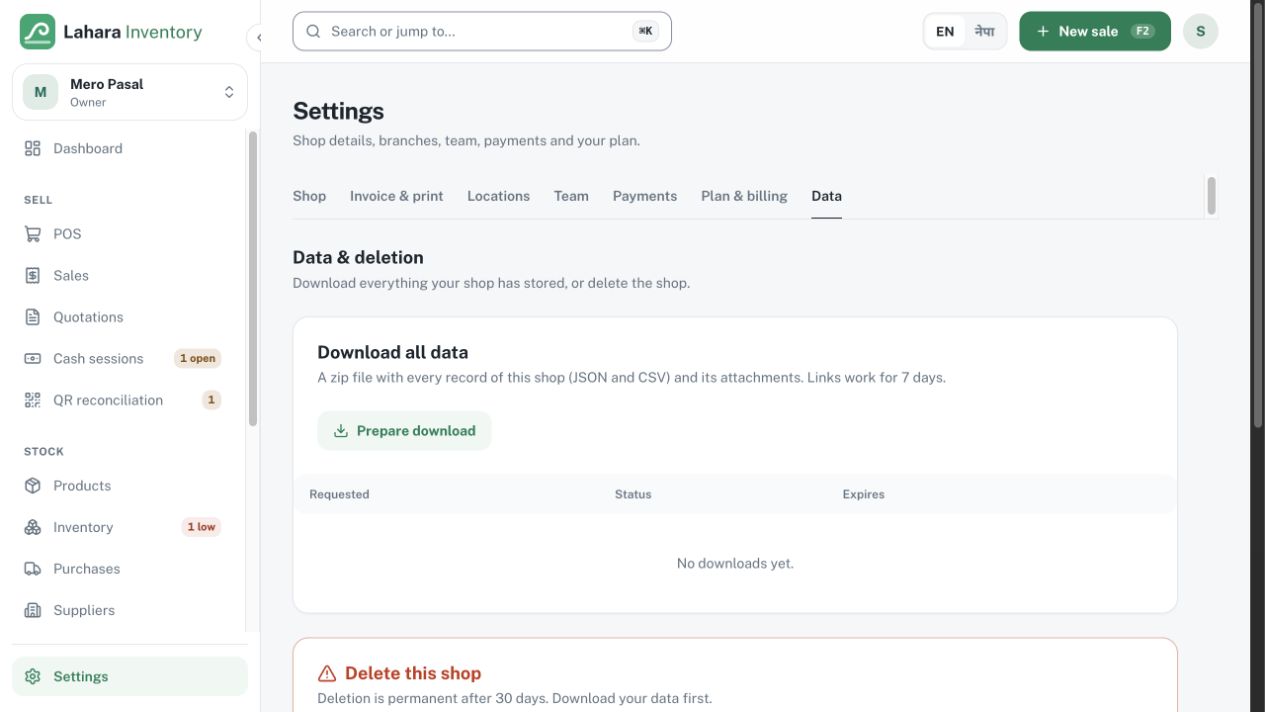
Export shop data when leaving.
The owner can request a full shop-data export from Settings → Data while the shop is suspended or pending deletion. Confirm with the requested password or two-factor code. Download the completed ZIP before its expiry. It contains structured records, not a one-click restore file.
Request deletion only when ready.
The owner can request shop deletion with the shop name, password, and two-factor code. The shop becomes read-only for 30 days, during which the owner can export data or cancel deletion. After that period, the scheduled purge is permanent; retained billing records follow the product’s applicable requirements.