Make a sale.
Open POS, scan or search for an item, check the quantity and total, then record the payment. A saved sale has an invoice number and can be printed.
First sale guide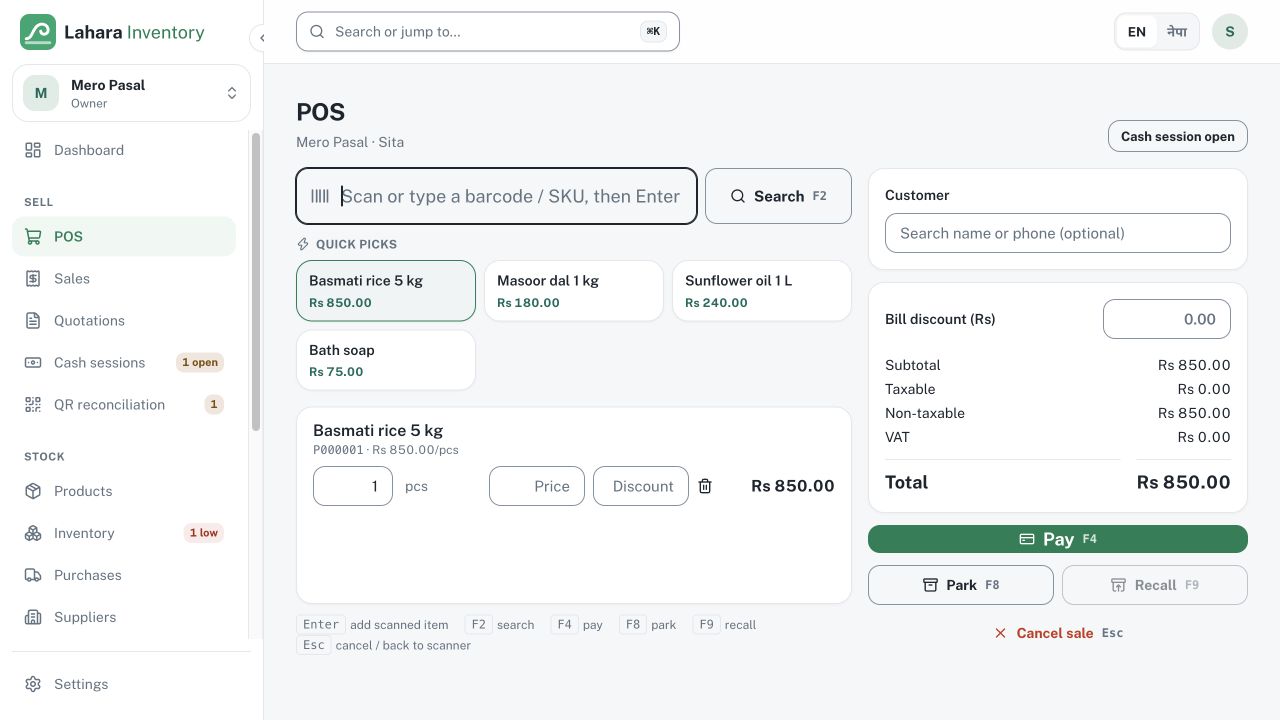
LAHARA INVENTORY · BY LAHARATECH
Lahara Inventory is inventory and billing software for retail shops and wholesalers.
Use it in your browser, in English or Nepali.
In your browser · Example records
INSIDE THE APPLICATION
See how stock, bills, credit, purchases, and your daily overview connect.
Open POS, scan or search for an item, check the quantity and total, then record the payment. A saved sale has an invoice number and can be printed.
First sale guideA completed sale updates stock at its location. Check Inventory for quantities, low-stock items, and movements before deciding what to buy next.
Product import guide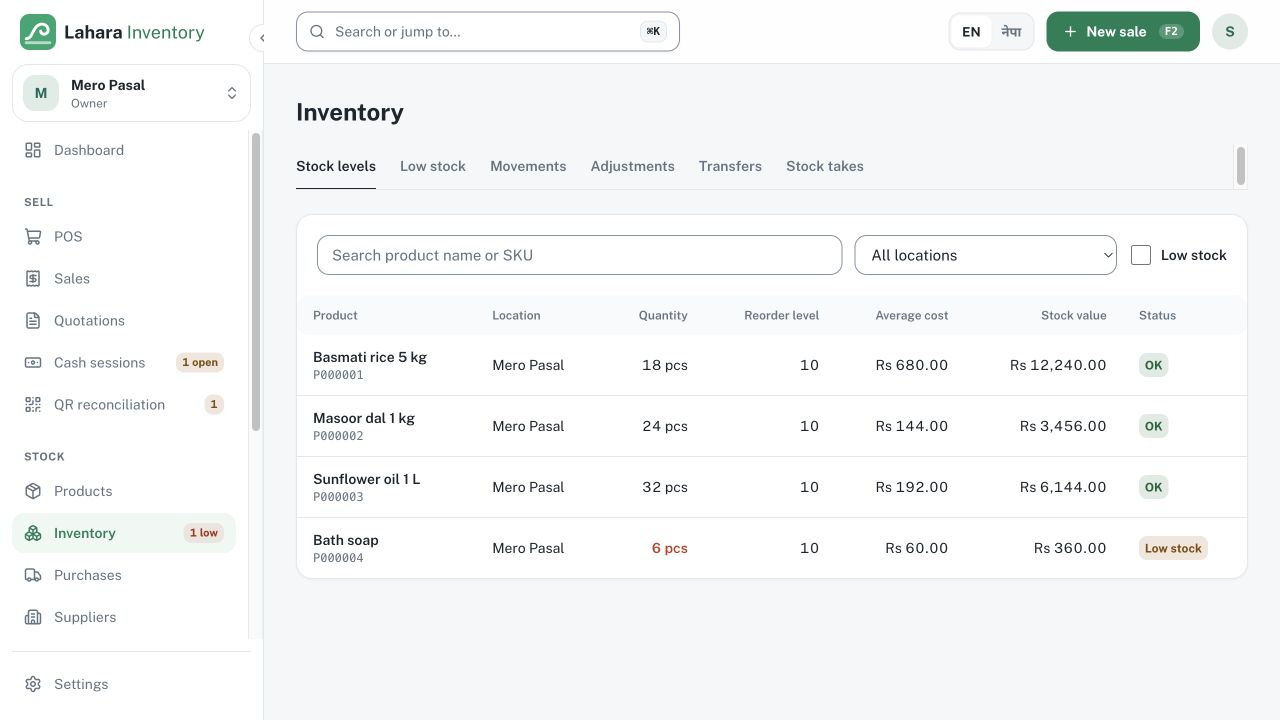
Select a customer for a credit sale. When they pay later, record the payment against that customer and check the remaining balance and statement.
Customer credit guide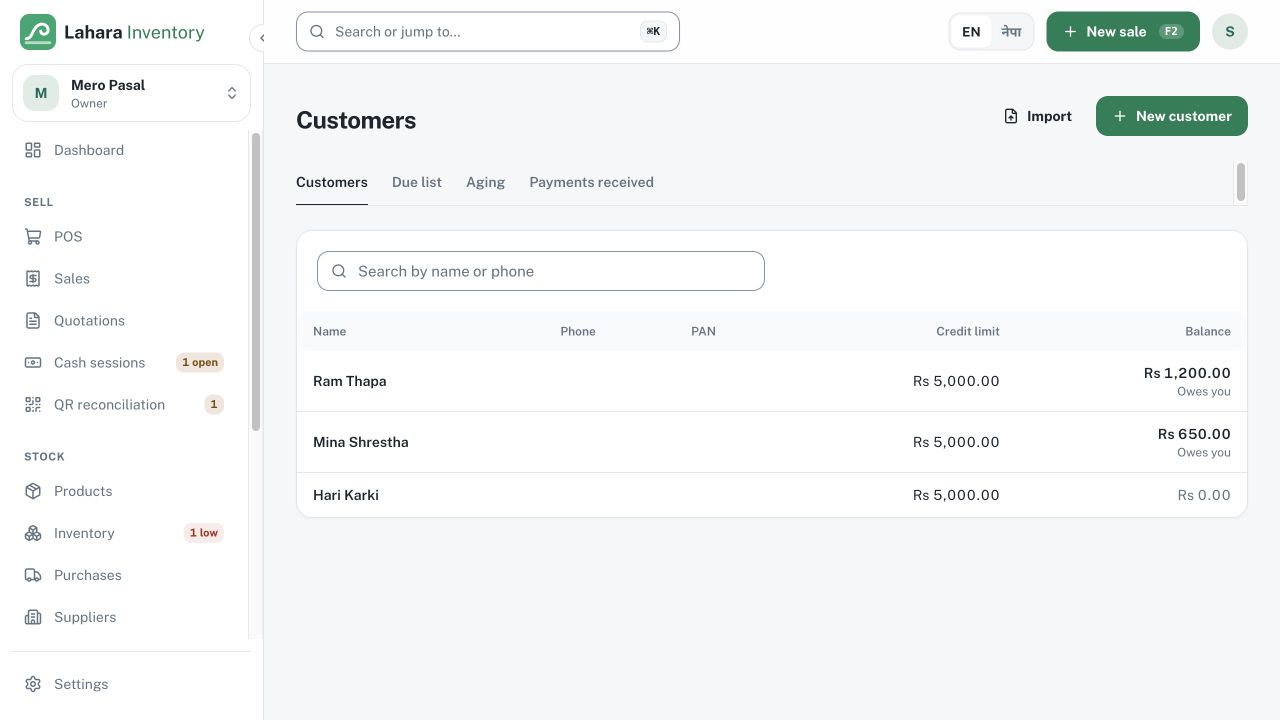
Add the supplier’s purchase bill, quantities, costs, and payment. Received goods update stock, while the unpaid amount stays in the supplier balance.
Product import guide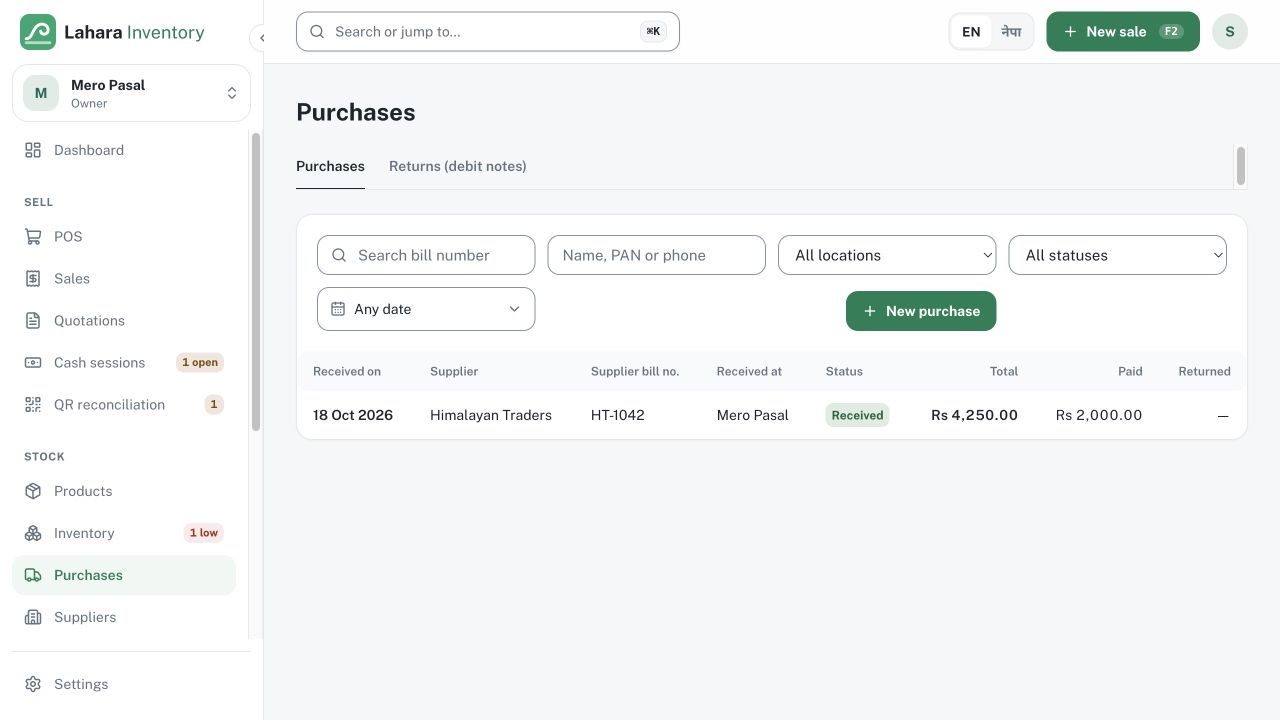
Use the dashboard for sales, customer dues, supplier balances, and items needing attention. Check reports and the cash session when closing the day.
Data & export guide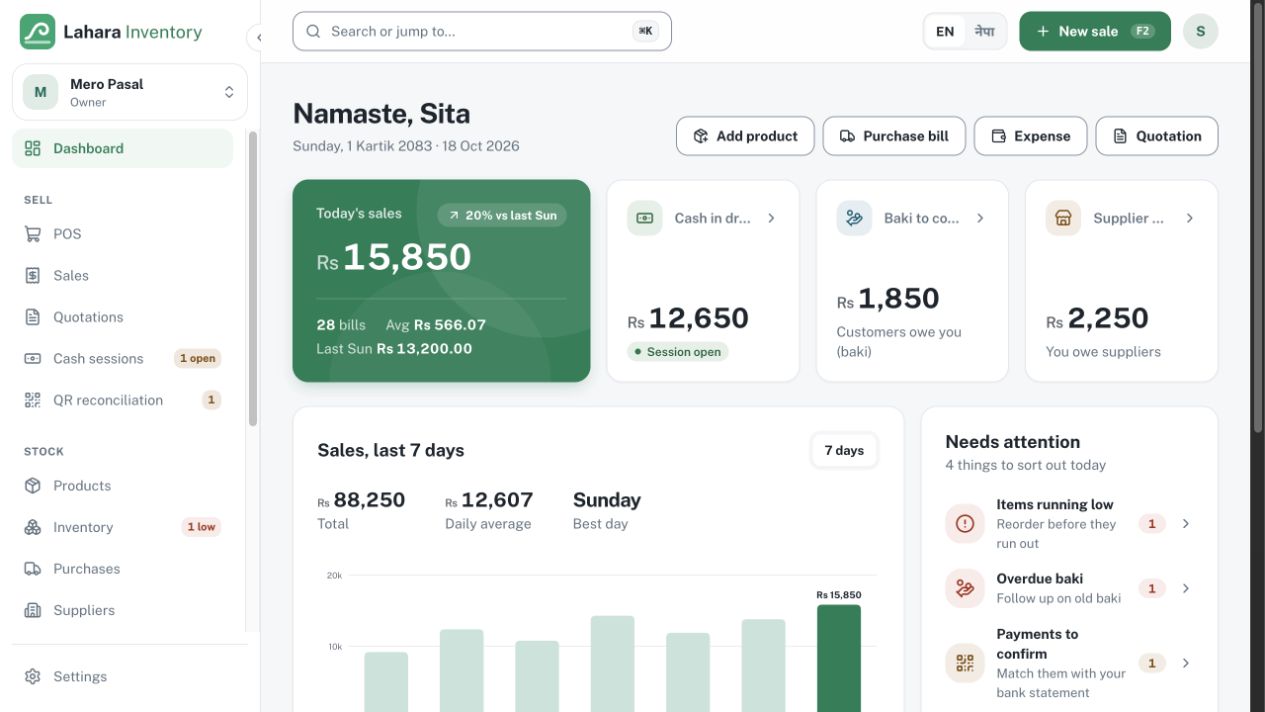
Application screens use fictional shop records. Features shown here require an internet connection.
EVERYTHING IN ITS PLACE
Know what you have, what’s moving, and what needs a refill.
Keep the queue moving and every sale accounted for.
Keep suppliers, incoming goods, and what you owe connected.
Remember the details and keep customer credit clear.
Make everyday decisions with a clear view of your business.
Use clear product records and units for the goods in your shop.
YOUR SHOP, WITH YOU
Open Lahara Inventory in a browser on your computer or phone. Check stock and bills in English or Nepali, with an internet connection.
Register, verify your email, and set up your shop’s details.
Shop setup guideBring an Excel or CSV stock list in using the app’s templates.
Product import guideAdd products, check the bill, and record how the customer paid.
First sale guideA FEW THINGS YOU MIGHT WONDER
Start with your computer or phone. For receipt printers and barcode scanners, contact us to check compatibility with your setup.
Lahara Inventory currently needs an internet connection to load records and save changes. If your connection drops, reconnect and check that the bill or payment was saved before continuing. Offline billing is not currently supported.
The owner assigns staff roles and location access. Permissions control actions such as viewing costs, recording payments, and exporting reports. Anyone can turn on two-factor authentication for extra safety. Review access when a team member joins or leaves.
Members with export permission can download supported reports as CSV or XLSX. The owner can request a full shop-data ZIP while the shop is suspended or pending deletion, with identity confirmation. Download files before the expiry shown in the app; a full export is not a one-click restore file.
Keep your downloaded exports in a safe place. Contact our team about current service-backup and recovery arrangements, including retention and restore options. The full shop-data export contains structured records rather than a one-click restore file.
An unpaid subscription becomes read-only after its grace period; it does not automatically request shop deletion. The owner can separately request deletion, confirm their identity, and export or cancel during a 30-day window. The scheduled purge after that window is permanent. Read the data guide before requesting deletion.
Lahara Tech maintains the product. Start with our help guides or email our team with your shop type and question. Setup assistance and Custom requirements are agreed with our team.
LET’S START WITH YOUR SHOP
Bring stock, bills, and customer credit together. Try it free for 14 days, with no card needed.