A LITTLE HELP, EVERY STEP
Make your first bill
Add products, check the bill, and record how the customer paid.
Maintained by Lahara Tech · Last reviewed
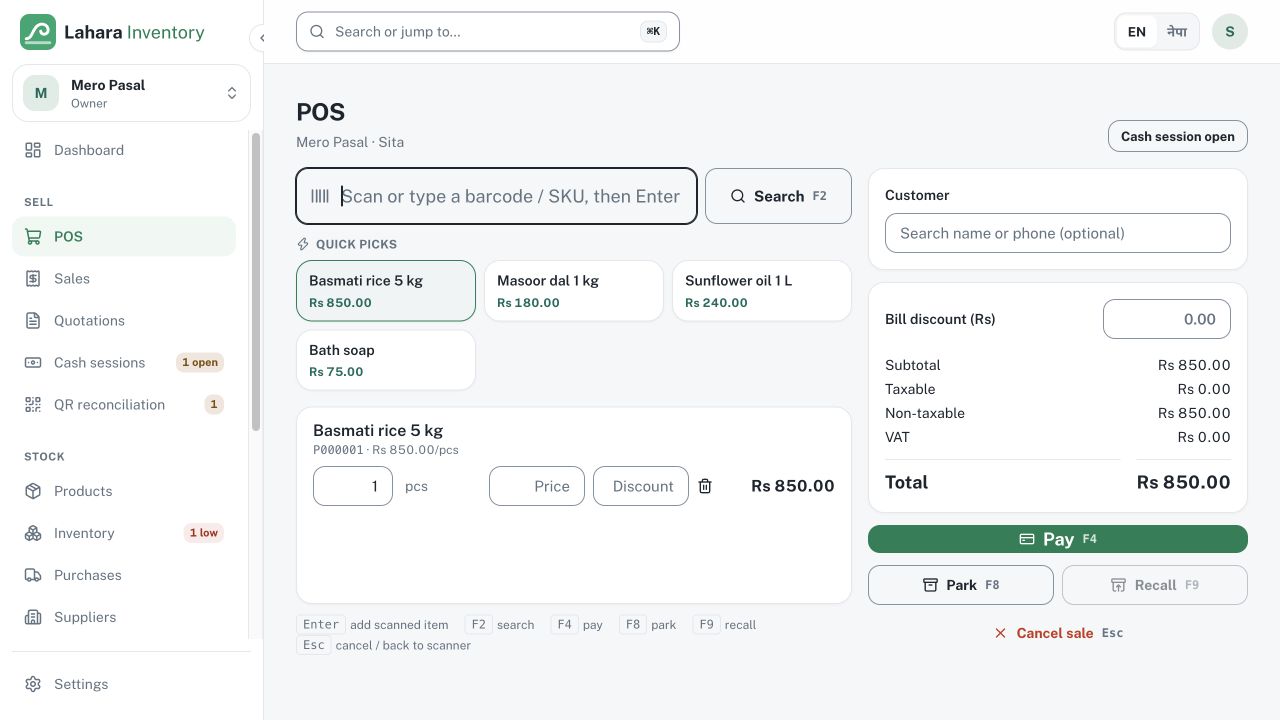
Open POS and your cash session.
Choose POS. If prompted, enter the opening cash float and open the session. Check that you are selling from the correct location.
Add items and check the total.
Scan a barcode or SKU, use Search, or choose a quick pick. Check quantities, prices, and discounts. Select a customer when recording a credit sale.
Record payment and complete the sale.
Choose Pay, enter the payment method and amounts, and complete the sale. Digital payment records may need confirmation; recording one is not bank verification. For credit, check the customer and remaining amount.
Confirm the saved invoice.
Wait for the sale-complete message and invoice number before starting another bill. Print the receipt if needed. The sale appears in Sales and its stock movement is reflected in Inventory.