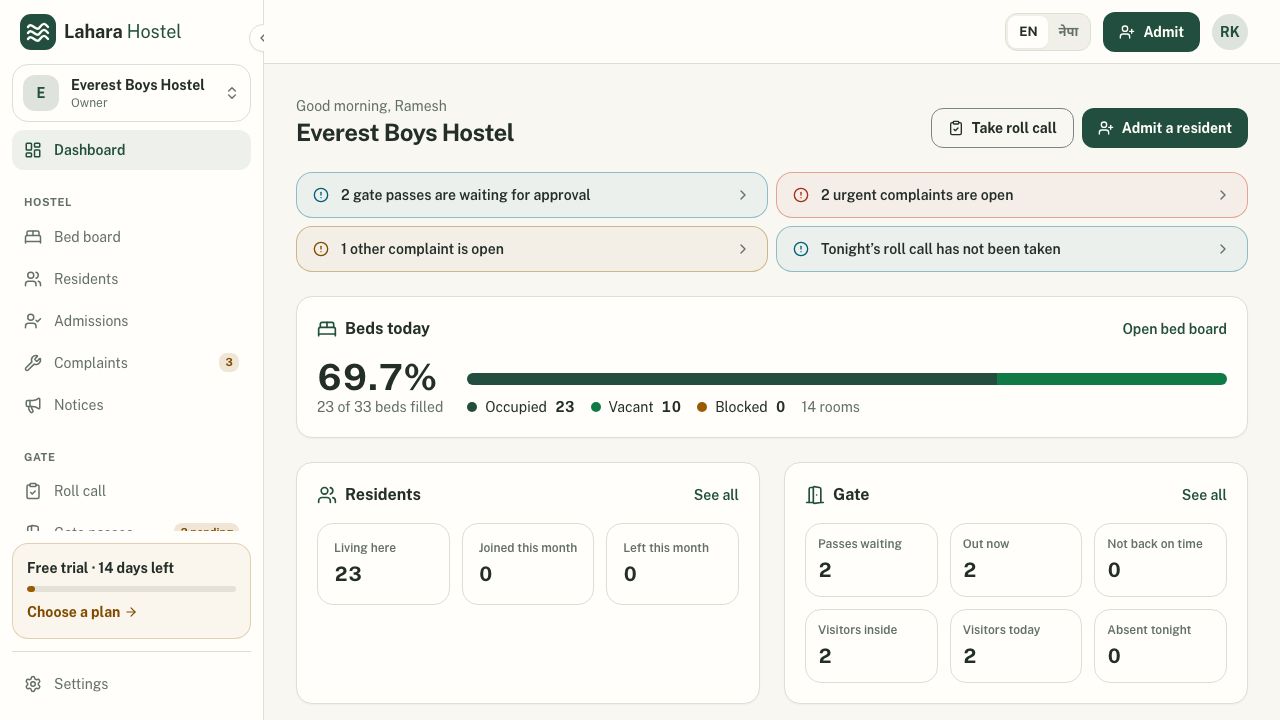
Start the day on one page
See how many beds are filled, who is out on a pass, open complaints and how much fee is still due.
LAHARA HOSTEL · BY LAHARATECH
Lahara Hostel is hostel management software for boys, girls and co-ed hostels, PGs and student housing in Nepal.
Use it in your browser, in English or Nepali.
In your browser · Example records
IN THE WARDEN’S OFFICE
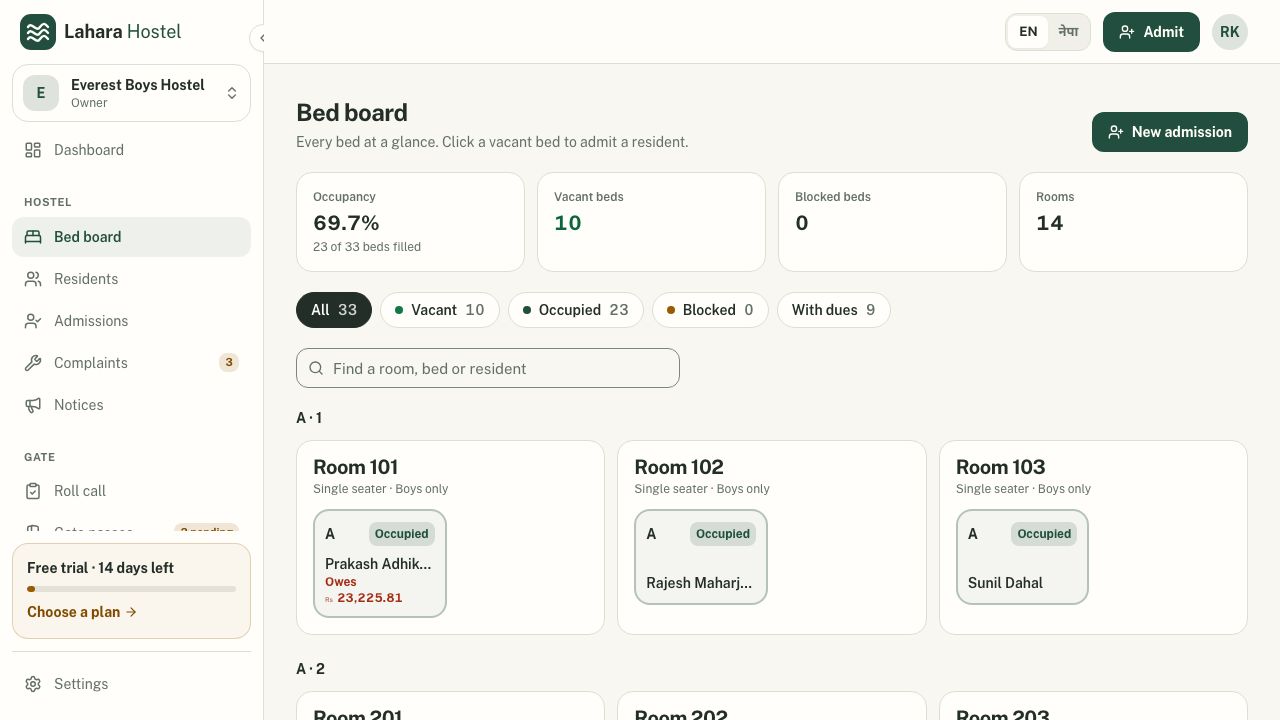
The bed board is home for the warden. Every room shows its beds, who sleeps in each one and who still owes fees, so filling the next bed takes one click.
Vacant, occupied or blocked for repairs: the board shows every bed as it is right now, with boys-only and girls-only rooms kept apart.
Add the resident and guardian, pick the mess plan and extra fees, and agree the deposit. The first month is charged only for the days left.
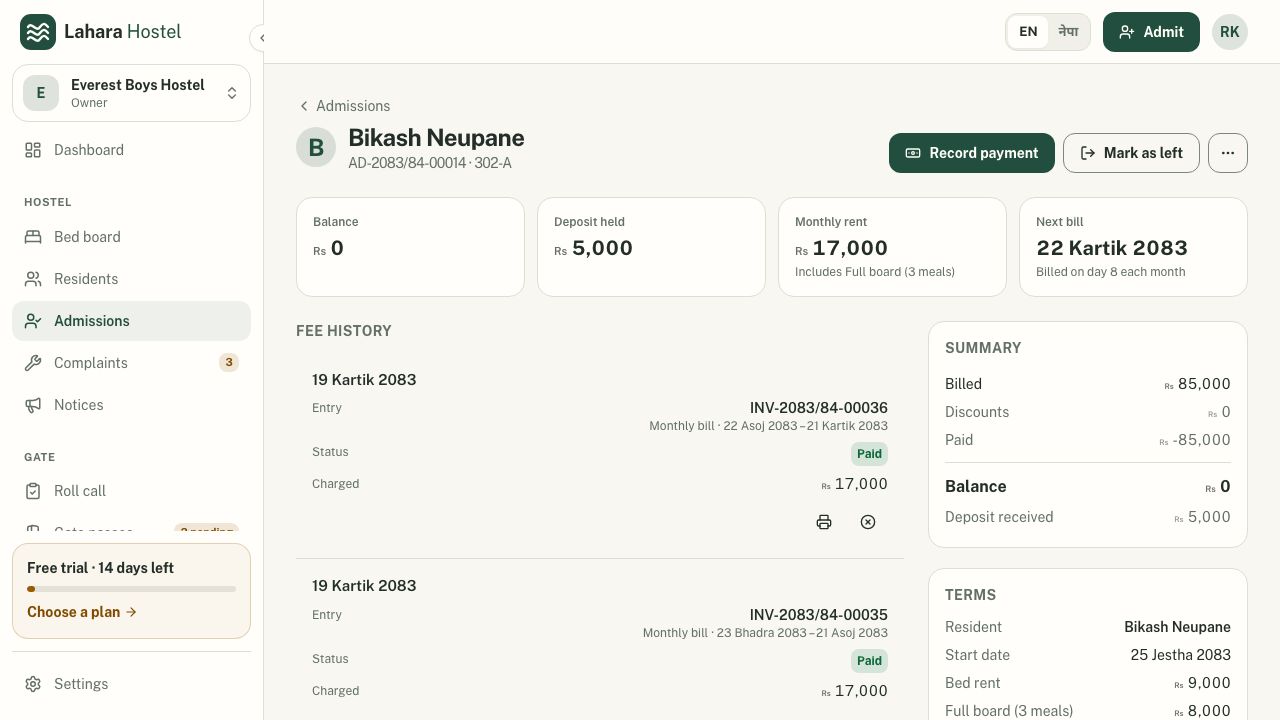
Rent, mess and fees are billed on each resident’s day. Take eSewa, Khalti, QR or cash, print the receipt and see every due in one list.
A DAY AT THE HOSTEL
Real screens from Lahara Hostel, shown with an example hostel.
See how many beds are filled, who is out on a pass, open complaints and how much fee is still due.
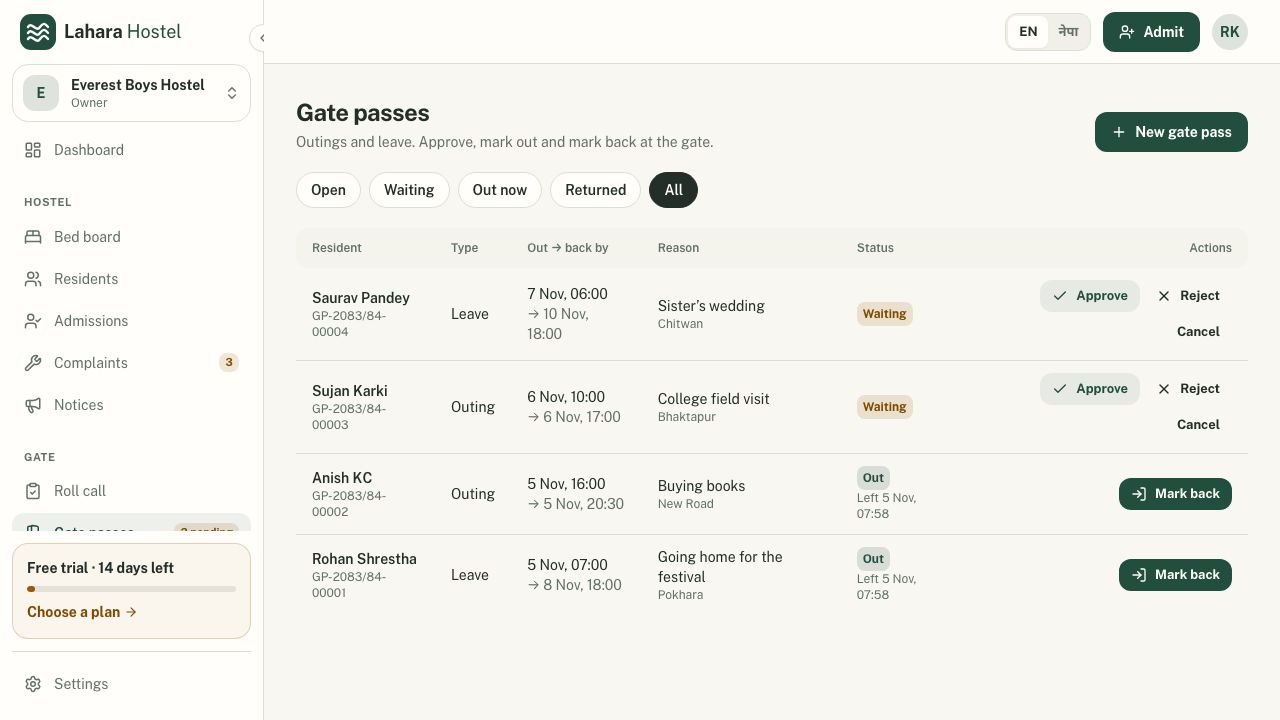
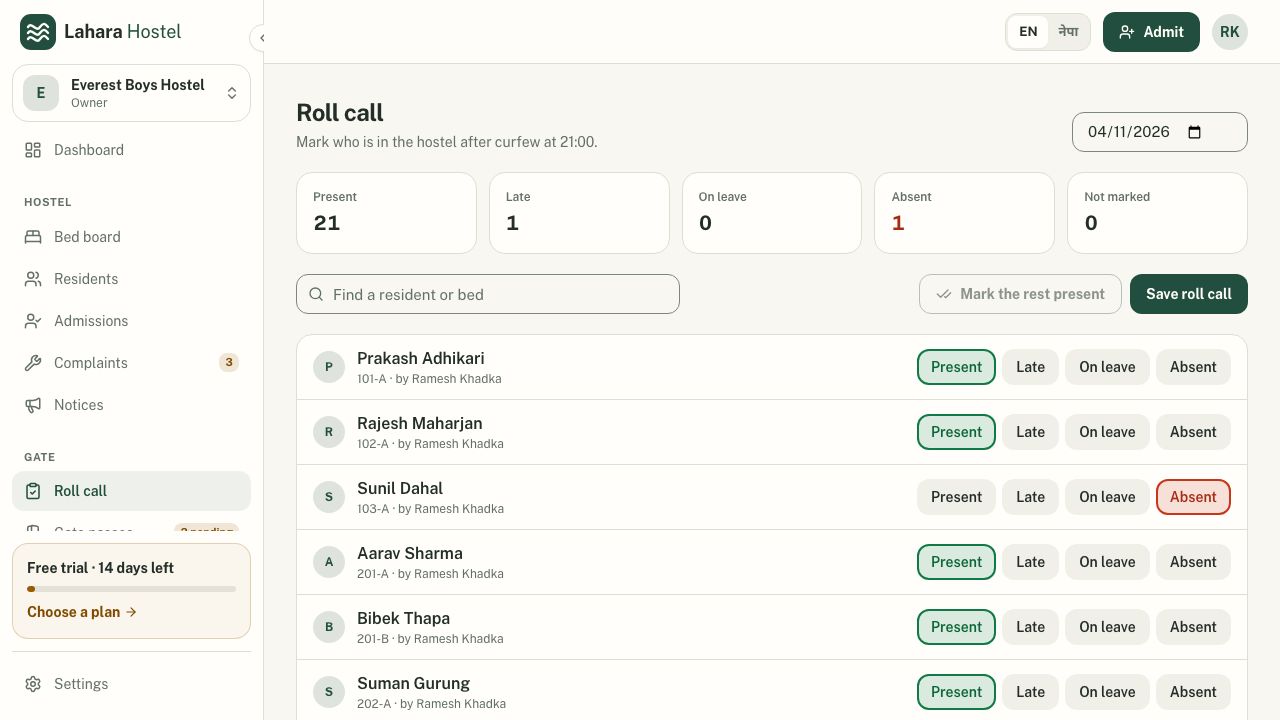
After curfew, mark the rest present with one button and only touch the late and absent ones. Residents on a gate pass are already marked.
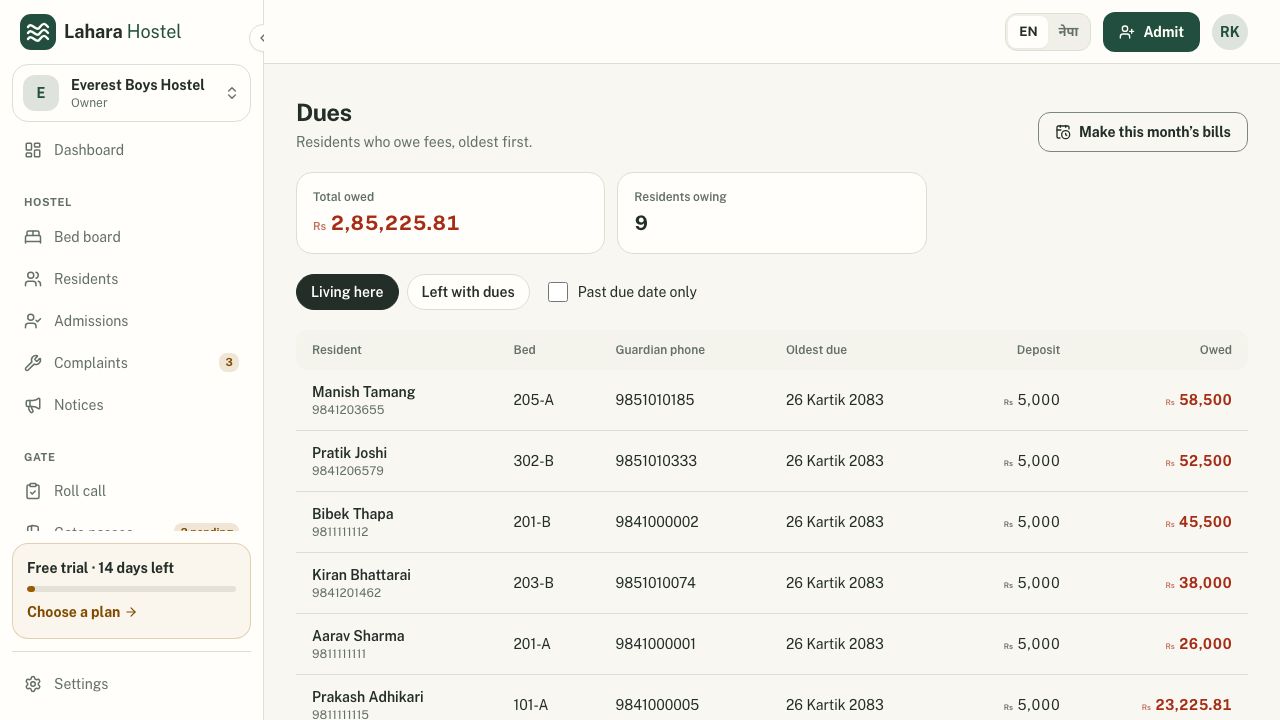
Every resident with fees due, the oldest bill, the deposit held and the guardian’s phone, ready for a polite reminder.
Screens use an example hostel with fictional residents.
EVERYTHING IN ONE PLACE
Set up room types and rooms once, then see every bed at a glance.
Everything about a resident and their guardian, kept private.
Monthly bills that make themselves, and every rupee accounted for.
Know who is in, who is out and who came to visit.
Run the kitchen, the store room and repairs from the same place.
See how the hostel is doing and who did what.
A FEW THINGS YOU MIGHT WONDER
It is built for boys, girls and co-ed hostels, paying guest (PG) homes, student housing and working professionals’ hostels, from 10 beds to several hundred.
Every resident has a guardian and emergency contact on record. The dues list and gate passes show the guardian’s phone, and a pass can note that the guardian was told.
No. Mess, store, roll call and the visitor log can be switched on or off in settings, so the menu shows only what your hostel uses.
A web browser on a computer, tablet or phone and an internet connection. There is nothing to install, and receipts print on 80 mm, A5 or A4 paper.
Register your hostel and use every feature free for 14 days, with no card needed. Our team will help you choose a plan before the trial ends.
READY WHEN YOU ARE
Set up your rooms and beds in minutes and admit your first resident today.