A LITTLE HELP, EVERY STEP
Import products and opening stock
Bring an Excel or CSV stock list in using the app’s templates.
Maintained by Lahara Tech · Last reviewed
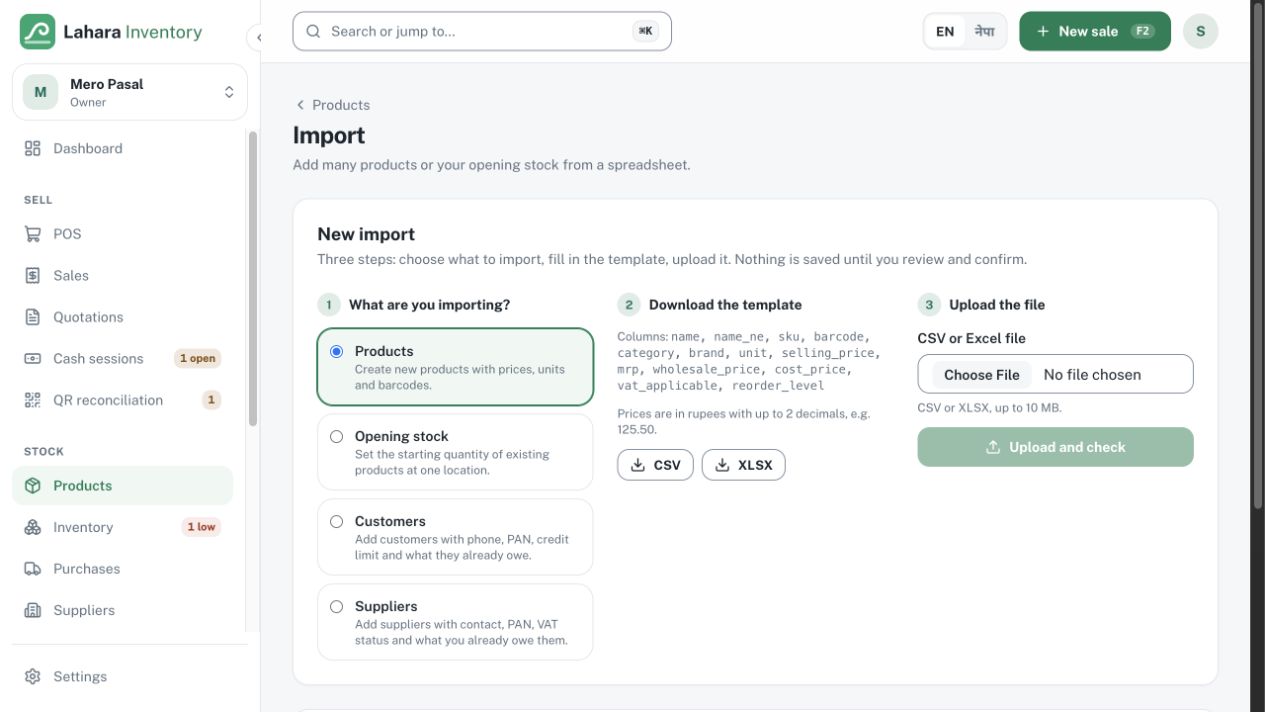
Download the product template.
Open Products → Imports, choose Products, and download the CSV or XLSX template. Product name, unit, and selling price are required. Keep the template headings.
Upload and review the product rows.
Fill in your products and upload the file. Review the validation results. Correct invalid rows and upload again before committing; uploading alone does not add the records.
Commit the products.
When all rows are valid, commit the import. Use unique SKUs or barcodes so opening stock can be matched to the right product. Confirm units and prices before continuing.
Import opening stock separately.
Choose Opening stock and the correct location. Use the opening-stock template with sku_or_barcode and qty; unit_cost is optional and requires cost access. Review and commit, then check Inventory.